

Best Ways to Track Packages: A Complete Guide
Table of Contents
- Why Package Tracking Matters and How It Works
- How to Track a Package by Tracking Number
- Using Package Tracking Apps for Multi-Carrier Visibility
- Tracking Shipments from Dispatch to Delivery
- What to Do When Package Tracking Is Not Updating
- Handling the Package Marked Delivered but Not Received
- Tracking International Shipments and Customs Clearance
- Privacy and Security When Tracking Packages
- Frequently Asked Questions
Last Updated: October 18, 2026
Why Package Tracking Matters and How It Works
When you shop online, the ability to track packages transforms waiting into knowing. You see exactly where your shipment is at every stage, replacing anxiety with peace of mind.
At Max-Depot, we know how important it is to know when your order arrives. Tracking gives you control: plan to be home for delivery, catch problems early, and know what to expect and when.
Behind the scenes, your order gets a tracking number that follows it from the warehouse through multiple carriers and delivery partners. Each scan updates the status, so you can see the journey from dispatch to your door.
Most shipments follow the same stages: picked and packed, labeled with a tracking number, sorted, moved by truck or plane, then delivered. Each step creates a scan that updates your tracking information.
Understanding this process helps you use tracking tools effectively: you'll know what status updates mean, why some packages update more often than others, and when to worry versus relax.
How to Track a Package by Tracking Number
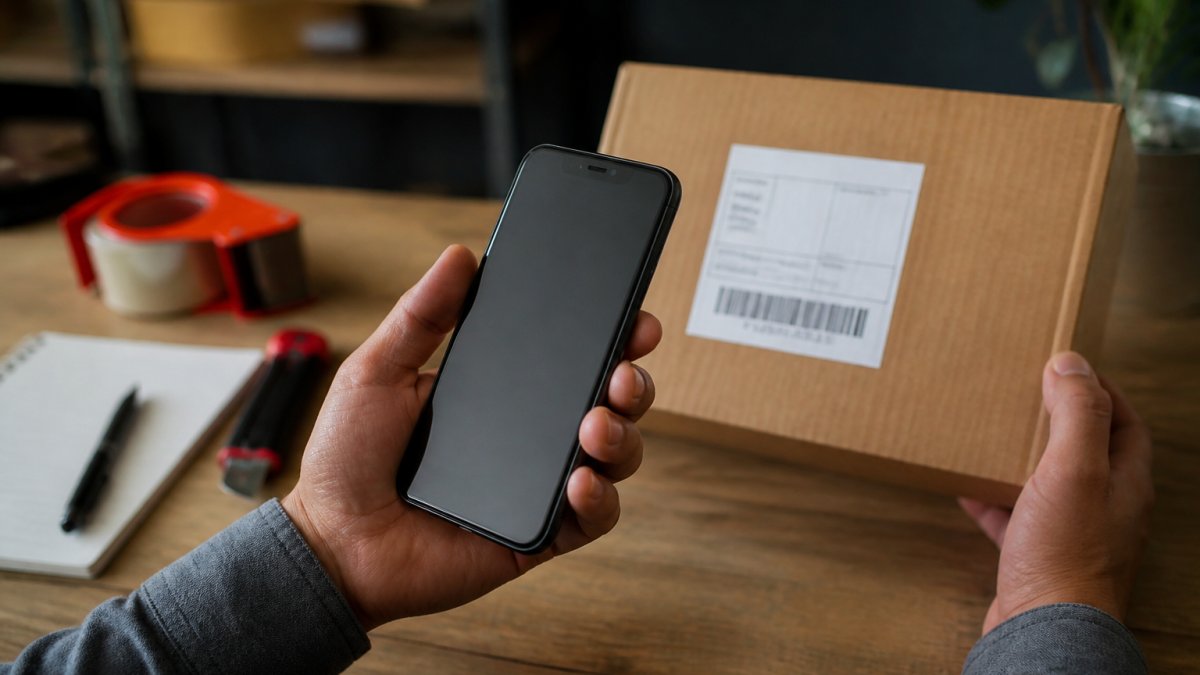
The easiest way to track a package is using your tracking number. This unique code connects directly to your shipment. Finding and using it takes just a few minutes.
Step 1: Find Your Tracking Number
Your tracking number appears in several places. Check your Max-Depot shipping confirmation email first; it usually arrives within 24 hours of your order shipping, with the tracking number highlighted.
You can also find it in your Max-Depot account: log in, go to your order history, and click the specific order to see the tracking number.
Step 2: Go to the Carrier's Website
Different carriers handle different shipments, and each has its own tracking website. Go to the carrier's main site and find their tracking tool.
Step 3: Enter Your Tracking Number
Paste or type your tracking number into the search box and hit enter. The system finds your package immediately.
Step 4: Check Your Shipment Status
The results show your package's current location and status, each scan as it moves through the system, and the estimated delivery date. Most systems update multiple times per day.
This direct method works best when you know which carrier handled your shipment. It gives you real-time information straight from the source.
Using Package Tracking Apps for Multi-Carrier Visibility
Tracking across multiple carriers gets complicated fast. You order from different places. Each uses a different shipping company. Checking five different websites wastes time.
Tracking apps solve this by consolidating all your shipments in one place.
How Multi-Carrier Apps Work
These apps connect to major carriers.
The best apps work with the major carriers, covering most of your packages; some also track packages from smaller carriers.
Setting Up a Tracking App
Start by downloading a reputable tracking app and creating an account with your email.
Alternatively, add tracking numbers manually: paste the number into the app, select the carrier, and the app monitors that shipment.
Benefits of Consolidation
One dashboard saves time every day: open one app instead of five websites, see all packages at a glance, and get notifications in one place so you never miss an update.
This approach works especially well for busy shoppers. If you order from multiple stores regularly, consolidation is essential, and frequent Max-Depot customers benefit from apps that show all their orders together.
Tracking Shipments from Dispatch to Delivery
Understanding your package's journey helps you interpret tracking updates. Each stage has specific status messages, and knowing what they mean removes confusion.
Understanding Shipment Status Updates
Label Created means the carrier has received information about your package but hasn't physically entered it into the system yet. This first status usually appears within hours of ordering.
Picked Up or In Transit means the carrier has your package and it's moving through their system. This most common status means it might be in a truck, at a sorting facility, or on a plane.
Out for Delivery means your package is on the delivery truck today and coming to your address. This status usually appears in the morning on delivery day.
Delivered means the package reached your address, left at your door, with a neighbor, or at a pickup location. Delivery is complete.
Delivery Exception means something went wrong: a delay, an incorrect address, or an undeliverable package. These require attention.
Setting Up Delivery Notifications and Alerts
Most carriers and tracking apps offer notifications. These alerts tell you when status changes. You don't have to check constantly.
Email Alerts arrive in your inbox. You get one message each time your package updates. This works well if you check email regularly. The downside is alerts can pile up if you have many packages.
Push Notifications come to your phone. They're instant and hard to miss. You see updates immediately. This works best for time-sensitive deliveries. You can plan to be home when the driver arrives.
SMS Text Messages work if you prefer texts over apps. You get a quick message each time something changes. This works on any phone. Some carriers charge a small fee for SMS alerts.
Set up alerts for packages you care about most. For everyday items, you might skip notifications. For expensive purchases or time-sensitive orders, enable all alerts.
What to Do When Package Tracking Is Not Updating
Tracking stops updating for several reasons. Understanding why helps you decide what to do next.
Common Reasons for Stalled Updates
Tracking delays happen regularly. A package might sit at a facility for hours before the next scan. This is normal.
Carrier handoffs cause gaps too. When your package moves from one carrier to another, there's a delay.
Weekends and holidays slow everything down. Carriers don't operate at full capacity on these days. Packages still move, but updates happen less frequently.
When to Contact the Carrier
If your package hasn't updated in more than three days, contact the carrier. Call their customer service line. Provide your tracking number.
If tracking shows a delivery exception, contact them immediately. Don't wait. Delivery exceptions need attention. The carrier can tell you what went wrong.
If your package is stuck in a location for more than a week, escalate. Ask to speak with a supervisor. Request an investigation.
Tracking Accuracy and Scan Delays
Real-time tracking isn't actually real-time. Updates happen when packages are scanned. Packages between scans are invisible.
International shipments have longer gaps. Packages cross borders without constant scanning. They clear customs without updates. This is normal.
Handling the Package Marked Delivered but Not Received
This situation is frustrating. Your tracking shows delivered. Your package isn't there. This happens more often than you'd think.
Check These Places First
Look around your delivery location thoroughly. Check your porch, side door, and back door. Look behind planters or under benches.
Check with neighbors. Drivers sometimes leave packages with neighbors if no one answers. Ask nearby. They might have your package.
Check with your building management or front desk. Apartment buildings and condos often have packages delivered to a central location. The driver might have left it there.
What If You Still Can't Find It
Take a photo of the empty delivery spot. Document the situation. Then contact Max-Depot. Explain that your package shows delivered but you never received it.
Max-Depot can guide you through this process.
Filing a Claim
Most carriers have a process for lost or undelivered packages. You file a claim online or by phone. Provide your tracking number. Describe what happened. Attach your photos.
The carrier investigates. They contact the driver. They check security footage if available. This process takes 5-10 business days usually.
If the investigation confirms the package was lost, you get a refund. This process takes time, but you will be made whole.
Tracking International Shipments and Customs Clearance
International packages move differently. They pass through customs. They change carriers multiple times. Tracking becomes more complex.
Understanding International Tracking
Your package leaves the origin country. It enters the international mail system.
When your package reaches the destination country, customs inspects it. This can take days.
After customs clears it, it enters the destination country's mail system. A new carrier takes over.
Customs Clearance Process
Customs inspects packages for prohibited items. They verify the declared value. They assess duties and taxes if applicable.
Most packages clear customs within 24-48 hours. Some take longer if inspection is needed.
You might need to pay duties or import taxes. The carrier will notify you.
Tracking Across Carriers
International shipments often use multiple carriers. One carrier handles the origin country. Another handles international transport.
Each carrier has different tracking systems. Your original tracking number might only work with the first carrier.
This is confusing but normal. Ask for the complete tracking history if you're unsure.
Delays and Expectations
International shipping takes longer than domestic shipping. A package to another continent takes 10-21 days typically.
Customs delays add time. Budget extra days for customs clearance.
Privacy and Security When Tracking Packages
Tracking numbers are sensitive information. They reveal what you ordered and when. Protect them like you'd protect passwords.
Risks of Sharing Tracking Numbers
A tracking number in the wrong hands is dangerous. Someone with your tracking number can see your package's location.
Don't share tracking numbers on social media. Don't post them in public forums. Don't email them to people you don't trust.
Protecting Your Information
Use secure tracking methods. Track through official carrier websites or Max-Depot's account page. Avoid clicking links in emails from unknown senders.
If you use a tracking app, choose reputable ones. Read reviews. Check privacy policies.
What Carriers Can See
Carriers collect data about your packages. They know what you order, where you live, and where you shop.
Most carriers have privacy policies. Read them. Understand what data they collect. Understand how they use it.
Third-Party Tracker Privacy
Third-party tracking apps have access to your email or carrier accounts. They can see all your shipments.
Look for apps that use encryption. Encryption protects your data in transit. Look for apps that don't sell your data.
Delete tracking apps when you no longer need them. Revoke their access to your accounts.
Frequently Asked Questions
What is the best way to track a package?
The best approach depends on your situation. If you have a tracking number, enter it directly on the carrier's website or use a multi-carrier tracking app to monitor progress. For multiple packages from different carriers, tracking apps consolidate everything in one place. Enable delivery notifications and alerts so you receive updates automatically via email or push notification. Check tracking status regularly to catch any delays or exceptions early, which helps you plan for delivery and address issues before they become problems.
Can I track a package using an order number instead of a tracking number?
Most carriers require a tracking number to provide real-time shipment updates. However, if you have your order number from Max-Depot or the retailer, you can often find the tracking number by logging into your account or checking your confirmation email. Some package tracking apps also let you search by order number if the retailer integrates with them. If you cannot locate your tracking number, contact Max-Depot's customer service, they can provide it and help you set up tracking right away.
Why has my package tracking information stopped updating?
Tracking delays happen for several reasons: the carrier may be experiencing a high volume of packages, your shipment could be in transit between sorting facilities (scan delays are normal), or it might be waiting at a local delivery hub before the final delivery attempt. International shipments often have longer gaps during customs clearance. If tracking hasn't updated for several days beyond the estimated delivery date, contact the carrier or Max-Depot to investigate. Sometimes a manual scan or routing correction is needed to resume updates.
What should I do if my package says delivered but I haven't received it?
First, check around your delivery location, the package may have been left in a safe place, with a neighbor, or at a pickup point. Review the delivery details in your tracking history to see the exact location marked as delivered. If you still cannot find it after a thorough search, contact the carrier to report the discrepancy and file a claim if needed. Contact Max-Depot immediately with proof of the delivery status.
Tracking packages doesn't have to be complicated. The right approach saves time and stress. Whether you're tracking a single order or managing multiple shipments, the methods we've covered work reliably. At Max-Depot, we're committed to helping you shop with confidence. When you order from us, you'll get a tracking number you can follow every step of the way. Start shopping at Max-Depot today and experience seamless package tracking from dispatch to delivery.